
Managing Locations
Account Owners and Billing Managers can manage your organization’s physical locations from the Locations tab in Settings.
Locations are used to define your organization’s primary, mailing, and billing addresses.
🧭 Accessing Locations
- Click the Settings ⚙️ icon (bottom-left corner)
- Select Locations
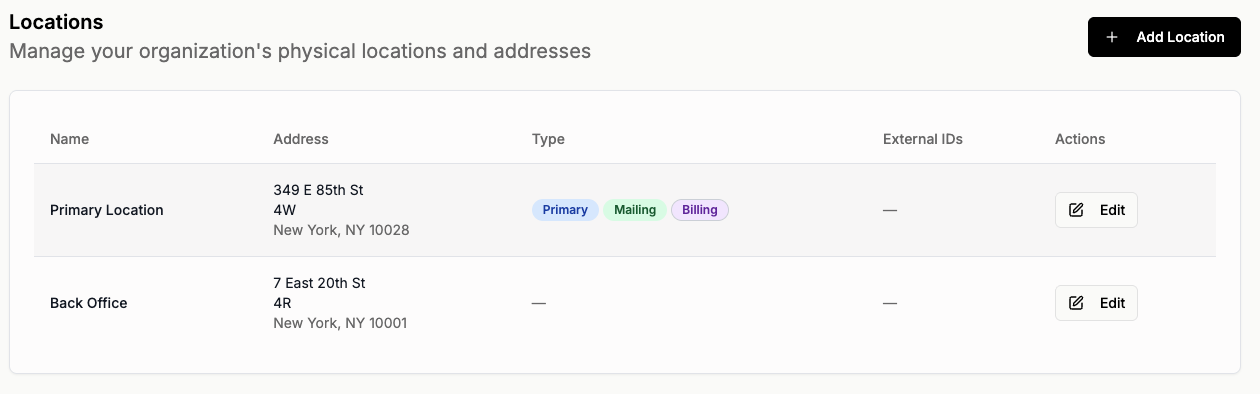
➕ Adding a New Location
-
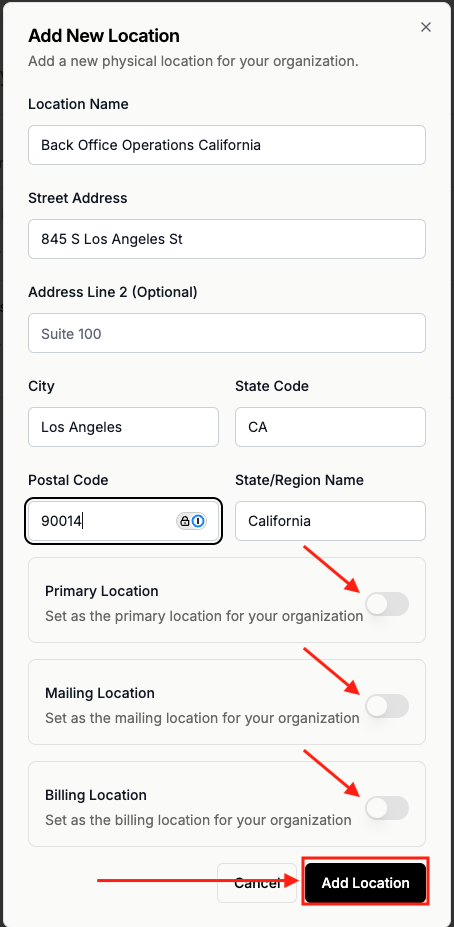
Click + Add Location
Complete the required fields:
- Location Name
- Street Address
- Address Line 2 (optional)
- City
- State Code
- Postal Code
-
State/Region Name
Choose whether the location should be:
- Primary Location
- Mailing Location
- Billing Location
- Click Add Location
✏️ Editing an Existing Location
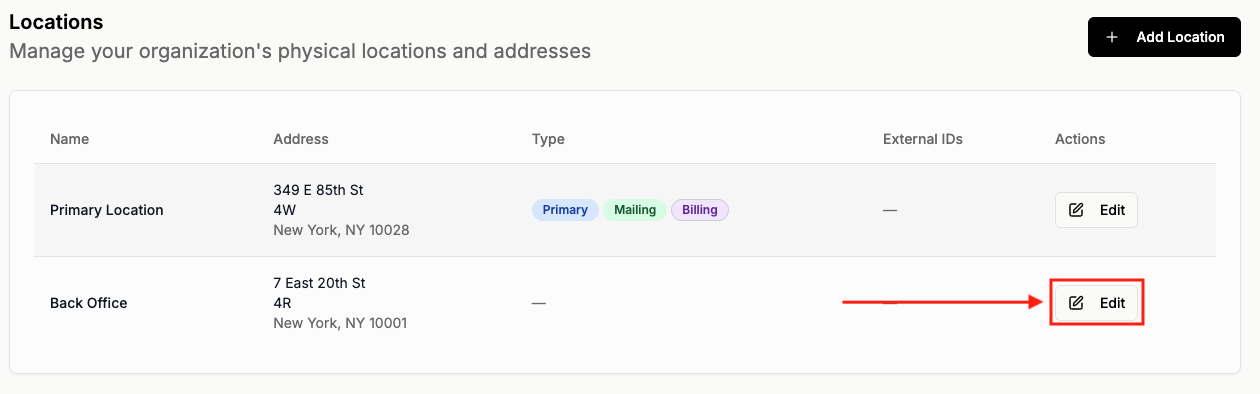
- Navigate to Settings → Locations
- Locate the location in the list
- Click Edit
- Update the relevant details
- Save your changes
Changes take effect immediately.
🏷 Location Types Explained
Each location can be designated for specific organizational purposes.
🏢 Primary Location
The main address for your organization.
This may be used as the default address across the platform.
📬 Mailing Location
Used for mailing correspondence.
If designated, this address may be used for client communications or document delivery.
💳 Billing Location
Used for billing-related records and subscription information.
This location may appear on invoices or billing summaries.
🔄 Updating Primary, Mailing, or Billing Status
When adding or editing a location, you can toggle:
- Primary Location
- Mailing Location
- Billing Location
If a new location is set as Primary, Mailing, or Billing, it will replace the previous designation.
💡 Best Practices
- Keep your Primary Location accurate and up to date
- Review Mailing and Billing designations periodically
- Ensure billing-related addresses match your official records